

Sailing into Windrose alone is fine and dandy, but bringing friends along turns the whole experience into something a little more fun. If you want someone steering a ship they do not fully understand, and someone else probably chopping down every tree in sight – you’ll want to engage in multiplayer. It is fun and surprisingly structured once you know how it all works.
Windrose co-op is not complicated, but it does have a few rules that are easy to miss if you jump in blind. From how you join friends, to what happens when the host logs off, and even how crossplay fits into the picture, there is a bit more going on under the hood than it first seems. Here is everything you need to get your crew together and set sail in Windrose.
Windrose is in early access, so the information below may change over time.
How To Play With Friends
Windrose co-op is online only, so everyone needs their own PC and an internet connection. There is no split-screen or local co-op.
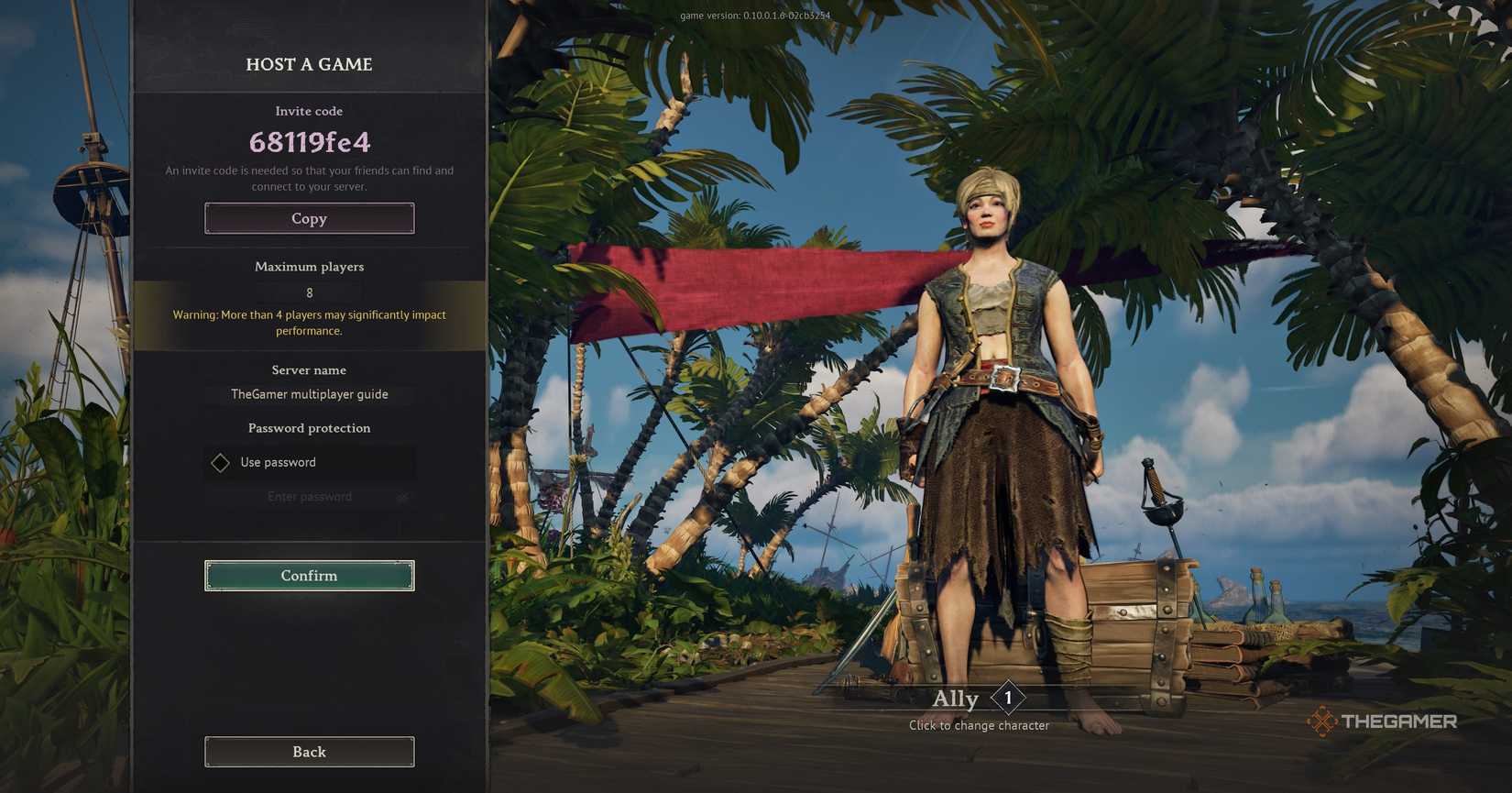
When you start the game, go to the Play menu. You will see Solo/Offline, Host a game, Connect to a server, and Create a dedicated server.
If you already have a solo world, you can still play it with friends. Just select Host a game, choose your world, and the game will give you an invite code. Your friends enter that code through Connect to a server to join you. You can also set a password to keep your world private.
You can also start fresh by choosing Create new when hosting. Either way, you can invite up to eight players.
Windrose does not have a public server browser, so you can only join friends directly using codes or invites.

Windrose: How To Fast Travel
Learn how to unlock and use fast travel in Windrose, including how to get the Fast Travel Bell and build travel points across islands.
Is Windrose Crossplatform?

No, Windrose does not currently support crossplay. Steam and Epic Games Store players are separated, so everyone in your group must be on the same platform to play together.
Additionally, there are no console versions of the game available at the moment. Not on PS5, Xbox, or Switch.
How To Make A Dedicated Server

Windrose lets you create a dedicated server through Nitrado. From the game’s mode selection screen, choose the option to create a dedicated server, and you will be taken to Nitrado’s website to set it up.
From there, you can pick a subscription plan. The cheapest option is $12.99 for 30 days, which includes a PC server with DDoS protection. There are also higher-tier plans depending on slot count and duration, such as ten-player slot servers for 30 days or longer 90-day options that scale up in price.
All plans are designed to support around four players comfortably, even though they technically allow up to eight or more slots depending on the package.
Once set up, your server runs 24/7 on dedicated hardware. This means your world stays active even when no one in your group is online, which removes the usual “host has to be here” limitation from normal co-op play.
Tips For Multiplayer

There are a few things to keep in mind with multiplayer in Windrose.
First off, the host controls the world, so if they leave, the session ends unless you are using a dedicated server. However, your character progress always carries over between worlds. This means your gear, stats, and items stay with you even when you join different servers.
Loot from chests is separate for each player, so everyone gets their own rewards. Though, resources like wood and stone are shared, so teammates can still impact the world together.
For best performance, try to stick to around three or four players. The game supports up to eight, but larger groups can cause lag and performance drops.
Combat and sailing are much easier in co-op. One player can steer the ship, others can handle cannons or repairs, and fights become more manageable when roles are split.

Windrose: 9 Beginner Tips
New to Windrose? This beginner guide covers essential tips and tricks for surviving early.


