The Lord of the Rings Online celebrates its 19th anniversary this year, but if you’ve tried to dip your toes back into it recently, you might’ve noticed that it doesn’t look great.
It’s an old MMO, so, of course, it’s visually dated, but the UI would also warp and stretch, or look fuzzy on modern monitors, which some players went as far as to say made it “impossible to play”.
Text so tiny that you have to squint to read it is hardly ideal, but the only solution up until now was to lower the game’s resolution and thus make everything else look blurry. Thankfully, Standing Stone Games is finally addressing this issue.
How UI Scaling Works In The Lord Of The Rings Online
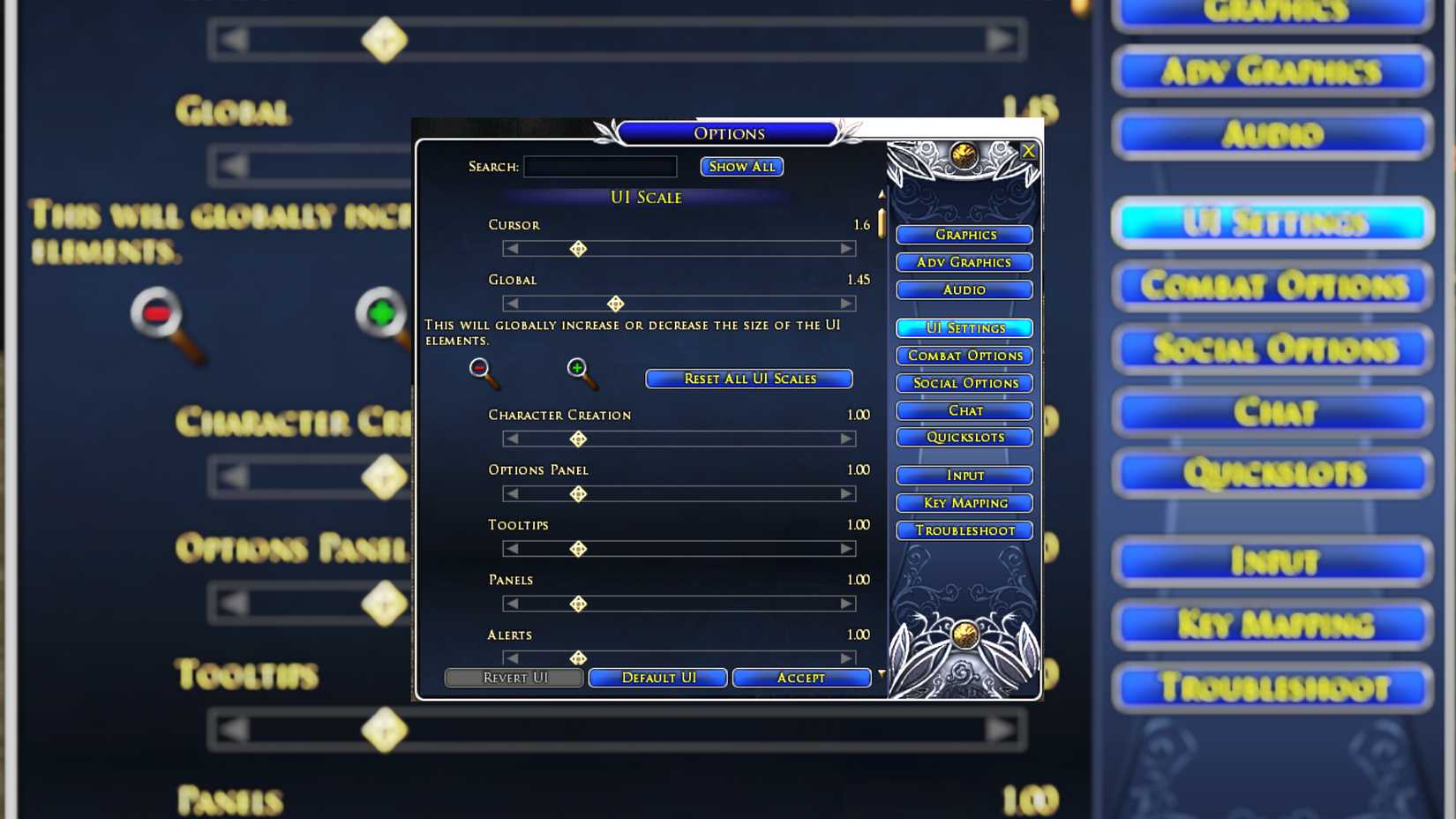
“Update 46.1 includes the addition of a new User Interface Scaling feature to the game,” the patch notes read. “Access these new settings in the ‘UI Settings’ tab of the Options menu. Scaling is currently supported for the cursor, more than fifty individual UI elements, and a Global UI setting. Additionally many full screen UI elements have been updated to support wide screen displays without stretching, including the Login Screen, Character Creation and Selection, Loading Screens, and the Map Window. The MAP UI can also now be toggled between Fullscreen and Panel modes in the UI settings.”
This is just the “first phase” in a broader plan to improve UI scaling in The Lord of the Rings Online, so we can expect even more quality-of-life updates to iron out the kinks, making this classic MMO more intuitive on modern hardware.
However, there are some known issues, as detailed in the blog post – which you can read in full here:
- Only the main mouse cursor will upscale to the new higher resolution image.
- Rescaling the Character Panel while not visible can cause its contents to expand beyond the panel bounds.
- Resizing the Trait Tree Window causes the dependency arrows to shift.
- UI scaling currently does not support LUA plug-ins.

- Released
-
April 24, 2007
- ESRB
-
T For Teen due to Blood and Gore, Use of Alcohol and Tobacco, Violence
- Developer(s)
-
Standing Stone Games
- Publisher(s)
-
Daybreak Game Company
- Engine
-
Havok
- Multiplayer
-
Online Multiplayer
- Franchise
-
The Lord of the Rings