

Quarantine Zone: The Last Check is fast becoming one of the most popular indie games to stream right now, and you can cash in on this by watching a stream and claiming some free in-game items.
Watch and interact with a Quarantine Zone streamer to get your hands on fresh cosmetic items from soldier and weapon skins to raccoons scurrying about instead of rats. Here is everything you need to know about how to claim your Quarantine Zone: The Last Check Twitch drops.
All Quarantine Zone: The Last Check Twitch Drops
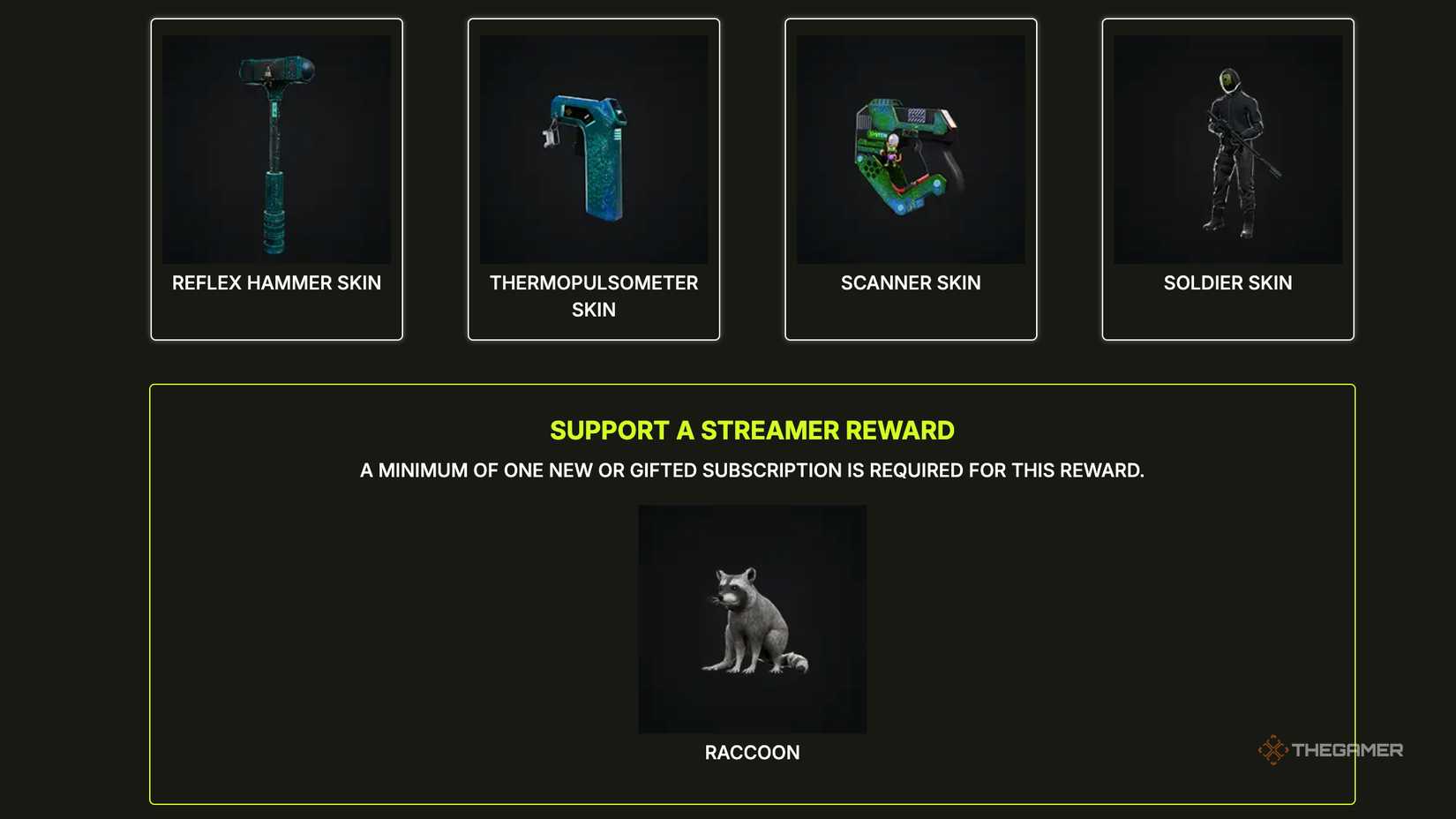
Since the full release of Quarantine Zone: The Last Check, developers Devolver have offered some freebies for fans of the game. From Jan. 9 to Jan. 23, 2026, watch any Twitch streamer for between 1 and 5 hours as they play Quarantine Zone: The Last Check, to claim cosmetics.
As long as the Twitch steamer has Drops activated, your watch time will accumulate, and eventually, you can unlock the following:
- Watch for 1 hour to claim the QZ Scanner skin.
- Watch for 2 hours to claim the QZ Thermopulseometer skin.
- Watch for 3 hours to claim the QZ Reflex Hammer skin.
- Watch for 5 hours to claim the QZ Soldier skin.
- Purchase 1 new, recurring, or gift subscription (Prime subs do not count) to claim the Raccoon Rat skin.
Your items should show up straight away, but can take up to 72 hours after claiming.
You will need to connect your Twitch account to your Quarantine Zone: The Last Check account before any watch time will count. You can connect your accounts from either the Quarantine Zone main menu or by visiting the Quarantine Zone Twitch Drops page.
Go to any participating channel, such as the DevolverDigital page, or any streamer with [Drops] in their channel description, to start earning watch time minutes.
You have to claim each item individually for them to show up in your inventory when you next play Quarantine Zone: The Last Check.
To see what you have earned and how long you have been watching the stream, go to your Twitch Inventory and check each item shown there. Each free cosmetic shows how long you have been watching in a percentage, so you know how much more you have to go before each one is unlocked.
Watch for a notification on Twitch that tells you when you have watched for long enough to unlock the next item. Click the notification to go to your Inventory and claim your prize.
After unlocking the items, they will show up in your game automatically. If you have the game open already, quit and restart for the items to be loaded up.

Quarantine Zone: The Last Check – Achievement Guide
Brain basketball, rat extermination, and feeding zombies in Quarantine Zone


